
How to load a gift card
Procedures to credit or redeem your gift cards.
Frequently asked questions
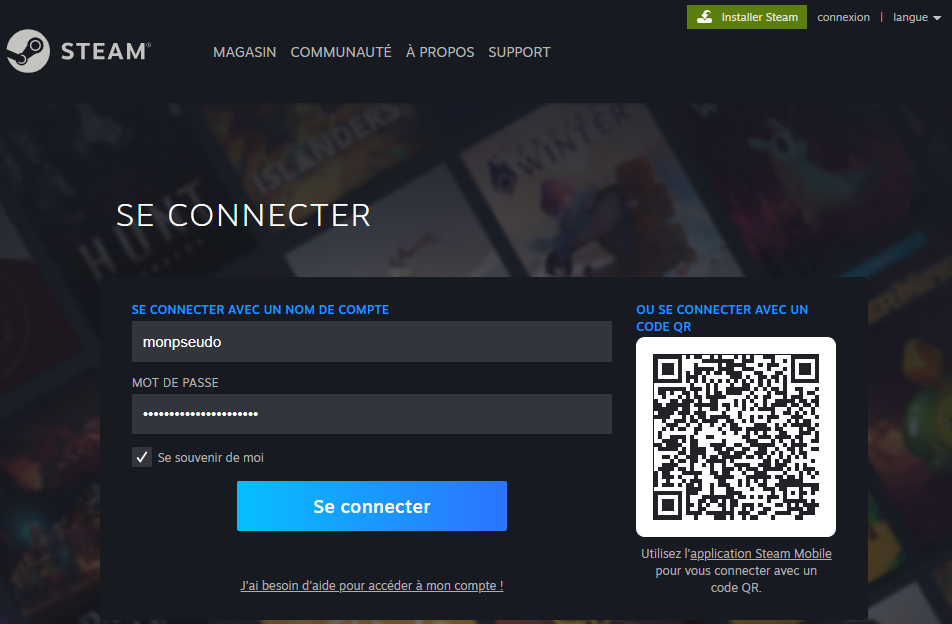
1. Go to https://store.steampowered.com/ and log in to your Steam account. If you don't have a Steam account yet, it's easy to create one.
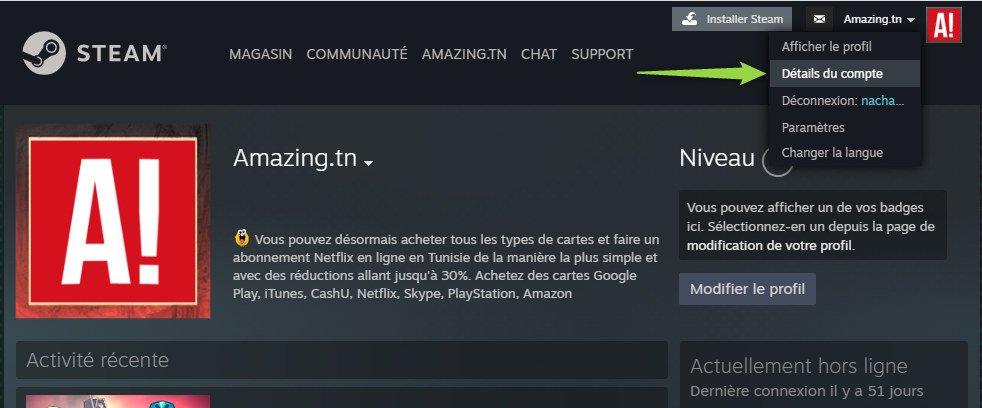
2. Once logged in, click on your username in the top right corner of the page, then select: Account details.
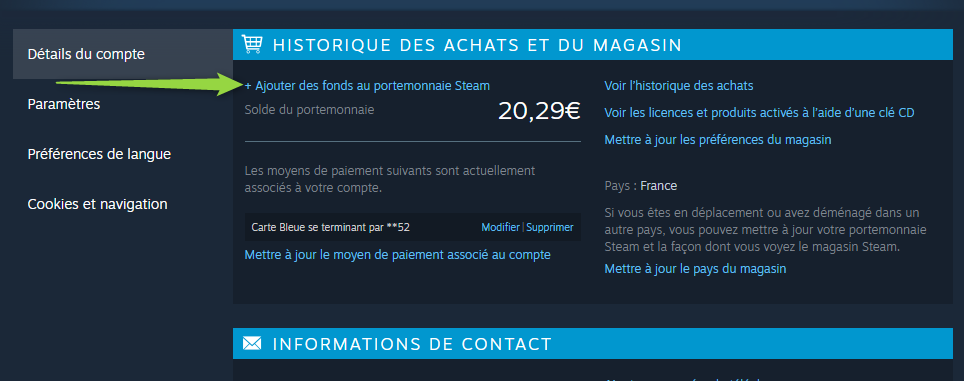
3. Click on « +Add funds to your Steam Wallet ».
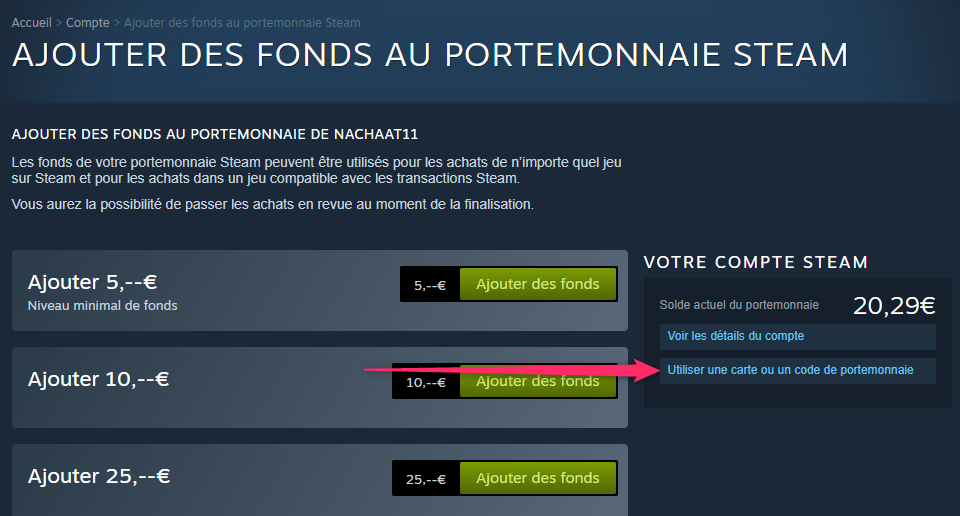
4. You will then be directed to the Steam Wallet – Add funds page. Under YOUR STEAM ACCOUNT (where you will see your wallet balance), click on « Redeem a Steam Gift Card or Wallet Code ».
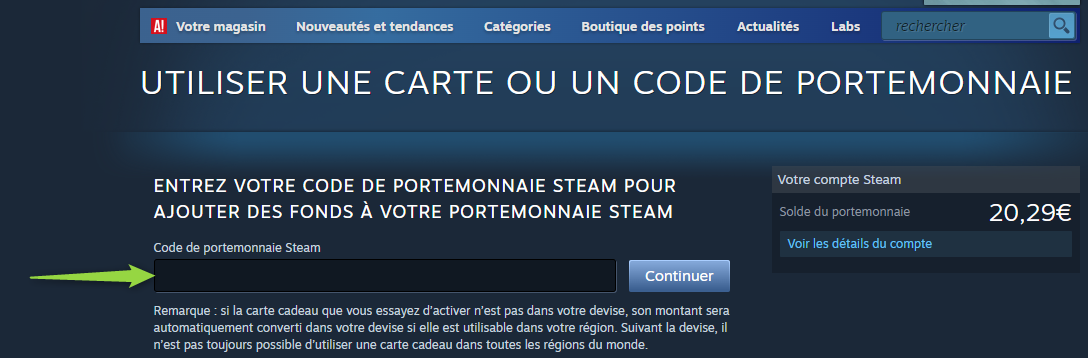
5. Enter the code in the field provided for this purpose, then click on « Continue ». Your wallet balance will be updated with the amount you have just redeemed.
2. Once logged in, click on your username in the top right corner of the page, then select: Account details.
3. Click on « +Add funds to your Steam Wallet ».
4. You will then be directed to the Steam Wallet – Add funds page. Under YOUR STEAM ACCOUNT (where you will see your wallet balance), click on « Redeem a Steam Gift Card or Wallet Code ».
5. Enter the code in the field provided for this purpose, then click on « Continue ». Your wallet balance will be updated with the amount you have just redeemed.
1. Click on the following link https://www.epicgames.com/fortnite/fr-FR/vbuckscard
2. Sign in.
3. Redeem your code to get your V-bucks!